 Ed Neuhaus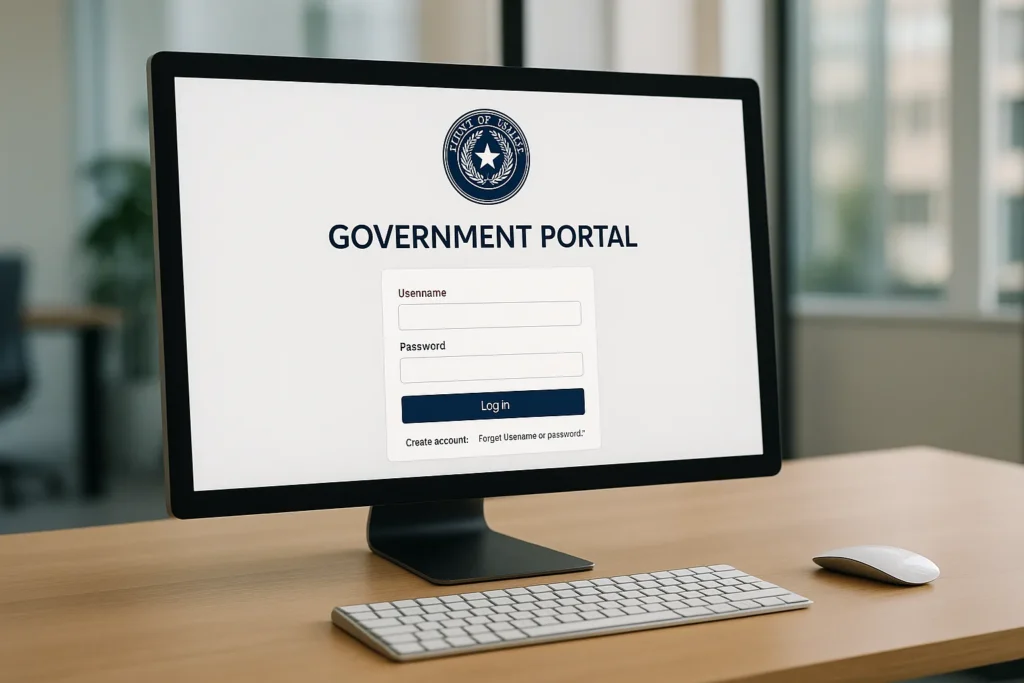
TREC launched a new licensing portal in December 2025. It’s called REALM. If you haven’t set up your account yet, you need to. And if you have, you might be running into some issues.
The transition wasn’t perfectly smooth. Let me share what I know about navigating the new system and avoiding common problems.
A quick note: I’m not your broker (yet), and this isn’t legal advice. Always verify with your sponsoring broker and TREC directly before making changes to your practice. That said, if your broker isn’t walking you through this stuff, you might want to ask yourself why.
What Is the REALM Portal?
REALM stands for Real Estate and Appraiser License Management Portal. It’s the new online system from TREC (and the Texas Appraiser Licensing and Certification Board) for managing licenses.
The portal launched December 15, 2025. It replaces the old TREC online system that had been in use for years.
What You Can Do in REALM
The portal is designed to be a one-stop shop for license management:
- License applications
- License renewals
- Uploading supporting documents
- Filing complaints
- Updating contact information
- Checking license status
- Viewing continuing education records
The goal is 24/7 access to manage your license without calling TREC or waiting for office hours.
If you are just starting the licensing process, online schools like Aceable make it easy to complete your pre-license coursework from home before you ever need to log into REALM.
Account Activation
If you’re a current license holder, you should have received an email invitation to activate your REALM Portal account. The emails started going out at 8:30 a.m. CT on December 15, 2025, from [email protected].
To link your records automatically, register using the same email address that appears in TREC’s system. If you use a different email, you may need to verify your identity manually.
As of the latest reports, over 45,000 people have successfully created REALM Portal accounts. If you haven’t activated yours, do it.
The December Transition Issues
The launch wasn’t seamless. Here’s what happened.
Service Outage
Online licensing services were unavailable from 5 p.m. CT on December 2 through December 14, 2025, while data transferred to the new system. TREC staff couldn’t make changes on behalf of license holders during this period either.
December Renewals Grace Period
TREC extended a grace period for all December 2025 renewals. If you submitted your renewal but your expiration date hasn’t updated in the system yet, don’t panic. Your license remains active. No further action is required while the system catches up.
Delayed Launch
The portal was originally scheduled to launch December 10. It was delayed to December 15. Technical issues happen with any major system transition.
Common Issues People Are Encountering
Here’s what I’ve seen agents struggle with.
Accidentally Starting Amendments
Many users are exploring features and unintentionally starting amendments or changes they don’t need. The interface is new. People click around to see what options exist, and suddenly they’ve started an application they didn’t mean to.
TREC’s advice: If you don’t need to take immediate action on your license (like renewing or changing sponsorship), you may wish to wait before making changes while remaining technical issues are resolved.
DBA and Team Name Updates
Updating DBAs and team names in the new portal has been a question mark for many. TREC has been releasing guidance through their REALM Portal Report newsletter. Subscribe if you need this information.
Records Not Linking Automatically
For most license holders, records link automatically when you register using your TREC-registered email. For some, manual verification is needed. If your records don’t populate, contact TREC to resolve it.
Inspector Insurance Issues
Home inspectors have had some specific issues with insurance documentation in the new system. TREC has released FAQs addressing these. If you’re an inspector, check those resources.
What to Do If You’re Having Problems
First, don’t panic. The system is new. Issues are expected.
Check TREC’s Resources
TREC has been actively releasing guidance through their website and newsletter. Check their FAQ section and the REALM Portal Report for updates.
Wait If Possible
If you don’t have an urgent license action needed, waiting a bit may let TREC resolve issues. The initial rush of 45,000+ users uncovered problems they’re actively fixing.
Contact TREC
If you have an urgent issue that can’t wait, contact TREC directly. They understand the transition is causing frustrations and are working to help.
Document Everything
If you’re submitting something time-sensitive (like a renewal), screenshot your submission. Save confirmation emails. If there’s any dispute about whether you met a deadline, documentation protects you.
Tips for Using the Portal
Based on helping our agents navigate the transition, here’s what works.
Use the Email in TREC’s System
When activating your account, use the exact email address TREC has on file. This makes automatic linking work. Check your license on TREC’s public search to see what email they have if you’re not sure.
Don’t Click Randomly
Until you need to take action, don’t explore by clicking on options that initiate processes. Some of those clicks start applications or amendments you’ll need to complete or cancel.
Complete Renewals Early
Don’t wait until the last minute for renewals. With a new system, give yourself buffer time in case of issues.
Keep Paper Records
Until the system is fully stable, keep paper records of important submissions. Print confirmations. Screenshot completion screens. Belt and suspenders.
Checking Your Experience Points
For agents working toward a broker license, the REALM Portal should show your accumulated experience points. This is useful for tracking your progress toward the 720-point requirement.
Verify the points shown are accurate. If transactions are missing, you may need to work with TREC to correct your records.
Ed’s Take
New systems are always bumpy. I’ve been through enough software transitions to know that the first few months are the worst, then things stabilize.
The old TREC system worked, but it was dated. A modern portal that lets agents manage licenses 24/7, upload documents directly, and handle everything in one place will be better once it’s fully working.
At Neuhaus Realty Group, we helped our agents set up their REALM accounts and walked through any issues together. That’s what broker support should look like. If you’re figuring this out alone, that’s a sign your broker isn’t providing what they should.
Questions?
The REALM Portal is new to everyone. If you’re having trouble navigating it or ran into an issue, you’re not alone.
Have questions about the portal or concerns about your license status during the transition? Reach out to me. I can’t solve TREC’s technical issues, but I can share what our team has learned, even if you’re not one of my agents. Yet.


