
As of March 2026, 22.1% of U.S. employees work remotely at least part of the time, according to the Bureau of Labor Statistics. That translates to roughly 34.6 million Americans logging in from spare bedrooms, converted garages, and backyard studios instead of traditional offices. In Austin, the percentage skews even higher: approximately 40% of the metro workforce works remotely or on a hybrid schedule, driven largely by the city’s concentration of technology companies, according to Indeed’s 2026 labor market surveys.
Austin consistently ranks among the top cities in the country for remote workers, and the reasons go beyond just a strong job market. The combination of no state income tax, fiber internet coverage expanding to over half the metro area, a deep bench of coworking spaces, and neighborhoods designed around walkability and quality of life makes the Austin metro a compelling base for anyone whose office fits inside a laptop bag. According to Neuhaus Realty Group‘s analysis of 2026 buyer data, remote and hybrid workers now represent the fastest-growing segment of home purchasers in the Austin Hill Country, with buyers prioritizing dedicated office space, reliable internet, and proximity to outdoor recreation over traditional commute distance.
This guide covers every practical consideration for working from home in Austin: internet infrastructure by neighborhood, the real cost of a home office setup, tax deductions you can (and cannot) claim, coworking alternatives, backup power strategies for the Texas grid, and which neighborhoods offer the best combination of connectivity, quiet, and lifestyle. Whether you already live here or you are relocating to Austin specifically to work remotely, the data in this guide will help you make smarter decisions about where to live and how to set up your workspace.
Why Austin Ranks Among the Best Cities for Remote Work in 2026
Austin’s appeal for remote workers comes down to a handful of measurable advantages that compound in ways most cities cannot match. The Texas Workforce Commission reports approximately 150,000 tech workers in the Austin metro as of early 2026, with one in five workers employed in the technology sector. That density creates a network effect: the coffee shops have strong WiFi because the customer base demands it, the coworking spaces offer fiber because their tenants need it, and the housing market has adapted to include dedicated office space as a standard feature in new construction.
The financial picture is equally compelling. Texas has no state income tax, which means a remote worker earning $120,000 annually keeps roughly $4,000 to $6,000 more than they would in California, New York, or New Jersey, depending on the state’s marginal rate. That savings alone can cover a year of coworking membership or fund a complete home office buildout. For a detailed breakdown of all living expenses, see the Complete Guide to Cost of Living in Austin.
The lifestyle advantages are harder to quantify but equally real. Austin averages 228 sunny days per year. The Barton Creek Greenbelt, Lady Bird Lake trail, and dozens of neighborhood parks are free and accessible year-round, giving remote workers a built-in antidote to the isolation that plagues home offices in less outdoors-friendly cities. The restaurant and coffee shop culture is among the strongest in the South, and the live music scene provides evening entertainment almost every night of the week.
Internet Providers in Austin: Speeds, Coverage, and Real-World Reliability
Internet connectivity is the single most important infrastructure decision for a remote worker, and Austin’s options are better than most U.S. metros. Four major providers serve the area, with coverage that varies significantly by neighborhood.
| Provider | Technology | Speed Range | Monthly Cost | Coverage | Rating |
|---|---|---|---|---|---|
| AT&T Fiber | Fiber / IPBB / 5G | 100 Mbps to 5 Gbps | $34 to $140 | 46.1% of Austin | 3.4/5 |
| Google Fiber | Fiber | 1 Gbps to 8 Gbps | $70 to $150 | 52.5% of Austin | 3.3/5 |
| Spectrum | Cable | 100 Mbps to 2 Gbps | $30 to $70 | 92.8% of Austin | 3.4/5 |
| T-Mobile 5G | Fixed Wireless | 87 to 415 Mbps | $50 to $70 | 78.2% of Austin | 3.2/5 |
Google Fiber offers the fastest maximum speeds at 8 Gbps and is the top-rated provider in customer satisfaction surveys at local, state, and national levels, according to BroadbandNow. The catch: Google Fiber only covers about 52.5% of Austin addresses, concentrated in south and central Austin (Zilker, Bouldin Creek, Travis Heights, parts of East Austin). The 1 Gbps plan at $70 per month is the sweet spot for most remote workers. A single video call in HD uses about 3 to 5 Mbps, so a gigabit connection comfortably supports an entire household of remote workers and streamers simultaneously.
AT&T Fiber is the value leader, starting at $34 per month for 300 Mbps. Coverage is strongest north of the University of Texas: Hyde Park, Northwest Hills, Great Hills, and North Austin all have solid availability. AT&T’s 5 Gbps plan is overkill for nearly every home office, but the 1 Gbps tier at $80 per month competes directly with Google Fiber.
Spectrum covers 92.8% of Austin, making it the default fallback anywhere fiber has not yet arrived. The cable infrastructure means speeds are asymmetric (upload speeds are significantly lower than download), which matters for video calls and large file uploads. The 500 Mbps plan at $50 per month is the practical minimum for serious remote work.
T-Mobile 5G Home Internet covers 78.2% of the metro at $50 to $70 per month. It works well as a backup connection or in areas where wired options are limited, but latency and consistency can vary. Not recommended as a primary connection for jobs that require frequent video conferencing.
Internet Speed Recommendations by Work Type
| Work Type | Minimum Download | Minimum Upload | Recommended Plan |
|---|---|---|---|
| Email and document work | 25 Mbps | 5 Mbps | Spectrum 300 Mbps ($30/mo) |
| Video calls (Zoom, Teams) | 50 Mbps | 10 Mbps | AT&T Fiber 300 Mbps ($34/mo) |
| Software development | 100 Mbps | 20 Mbps | Google Fiber 1 Gbps ($70/mo) |
| Video production / 3D rendering | 500 Mbps | 100 Mbps | Google Fiber 2 Gbps ($100/mo) |
| Multi-person household (3+ remote workers) | 500 Mbps | 50 Mbps | AT&T Fiber 1 Gbps ($80/mo) or Google Fiber 1 Gbps ($70/mo) |
Fiber Coverage by Neighborhood
Fiber availability changes block by block. Always verify at the specific address before purchasing a home. General patterns as of early 2026:
- Strong fiber coverage (Google Fiber + AT&T Fiber): Zilker, Bouldin Creek, Travis Heights, Mueller, Hyde Park, North Loop, Crestview, Allandale, parts of East Austin, parts of Round Rock
- AT&T Fiber primarily: Northwest Hills, Great Hills, Westlake Hills, Cedar Park (expanding), portions of Pflugerville
- Cable only (Spectrum): Parts of Dripping Springs, outer Lakeway, Spicewood, some rural Hill Country areas
- Limited options: Far west Travis County, some unincorporated Hays County areas, rural Williamson County
For buyers considering Dripping Springs or Lakeway, fiber availability is spottier. Spectrum provides cable coverage in most subdivisions, and T-Mobile 5G can fill gaps, but if your job depends on symmetrical gigabit speeds, verify before you commit. Read more about internet infrastructure expansion in Austin in this post on watching the internet expand outside our office.
Best Austin Neighborhoods for Remote Workers in 2026
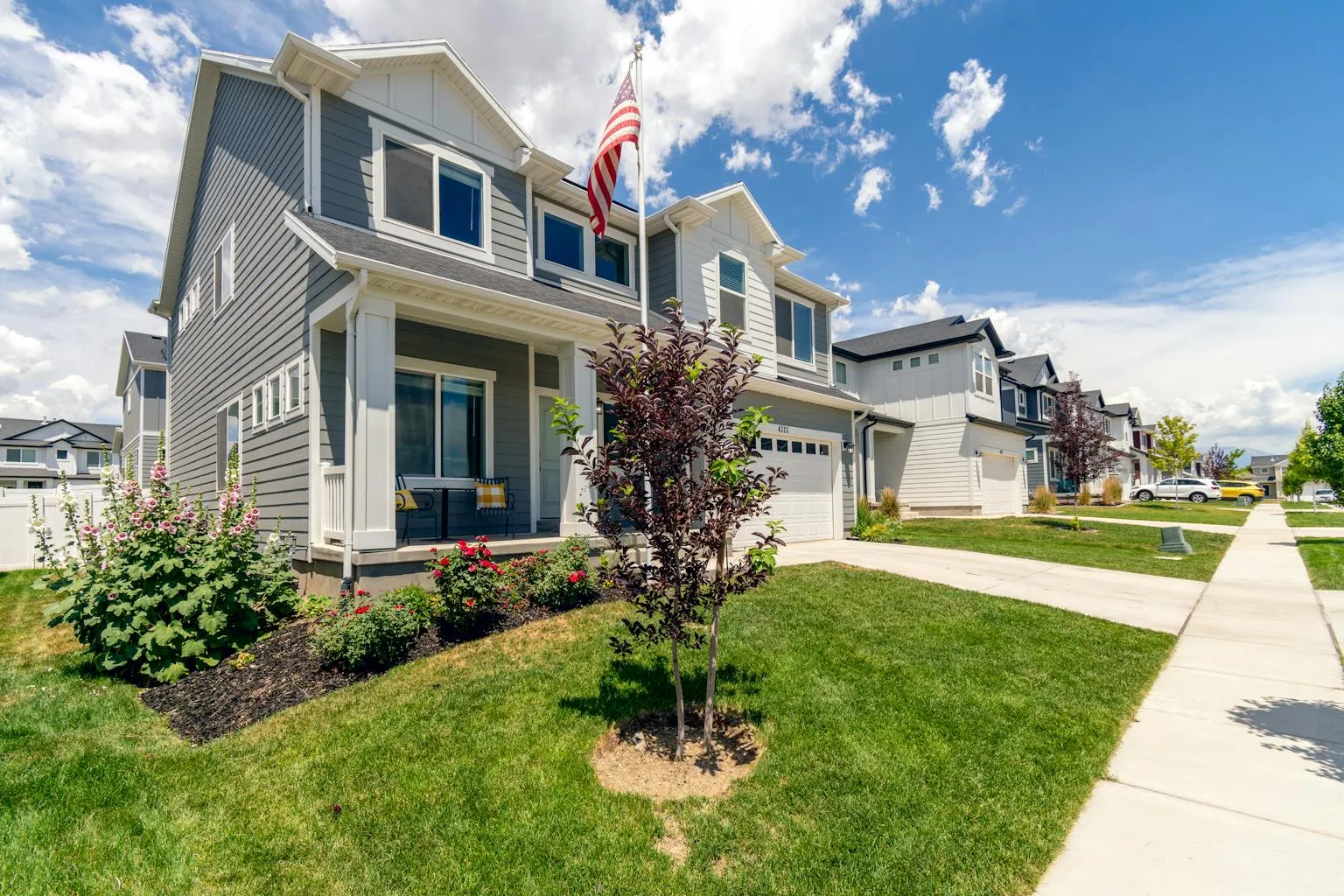
The right neighborhood for a remote worker depends on three variables: internet reliability, daytime noise level, and access to the things that break up the monotony of a home office. Here are the top picks, organized by lifestyle priority. For a deeper neighborhood-by-neighborhood analysis, see the Best Austin Neighborhoods If You Work from Home in 2026 and the Complete Guide to Austin Neighborhoods by Lifestyle.
Mueller: The 15-Minute Neighborhood
Mueller was designed from the ground up as a walkable, mixed-use community on the former Robert Mueller Municipal Airport site. Remote workers here can walk to H-E-B, Alamo Drafthouse, coffee shops, the Thinkery museum, and multiple parks without getting in a car. Both Google Fiber and AT&T Fiber have strong coverage. Median home prices run $450,000 to $550,000, and the neighborhood’s street grid design keeps traffic noise low on interior blocks.
The downside: Mueller is fully built out, so inventory is limited. Homes sell quickly, and there is no new construction pipeline. Townhomes and smaller-lot single-family homes dominate, which means dedicated office space may require creative use of a second or third bedroom.
Hyde Park: Quiet and Budget-Friendly
Hyde Park sits just north of the UT campus and offers some of the most affordable entry points to central Austin home ownership. Mature tree canopy, wide streets, and minimal through-traffic create a quiet daytime environment. AT&T Fiber is widely available, and Google Fiber has expanded into parts of the neighborhood. Homes range from $400,000 bungalows to $800,000+ renovated Craftsmans.
The tradeoff: parking can be competitive near UT, and some blocks closer to Guadalupe Street get student foot traffic. Move a few blocks east or north and the quiet returns.
Bouldin Creek: Walkability Meets Fiber
Bouldin Creek, tucked between South Lamar and South First, combines a residential feel with walking-distance access to some of Austin’s best coffee shops, restaurants, and South Congress Avenue. Google Fiber has strong coverage here. The neighborhood is flat, bikeable, and less than a five-minute drive to Zilker Park and Barton Springs for a midday reset.
Prices have climbed: expect $600,000 to $900,000 for a single-family home. But the lifestyle density per dollar is hard to beat for a remote worker who wants to break up the day without driving.
Cedar Park: Affordability and Expanding Fiber
At a median price around $425,000, Cedar Park offers significantly more square footage than central Austin, which translates to a real dedicated office room (not a repurposed closet). AT&T Fiber is expanding through the area, and Spectrum cable covers most subdivisions. Newer communities like Bryson and Rancho Sienna were built with structured wiring for fiber.
The tradeoff: Cedar Park is 20 to 30 minutes from downtown Austin, which matters less for remote workers but limits spontaneous access to the urban core’s restaurants and nightlife.
Dripping Springs: Space, Quiet, and the Hill Country
For remote workers who prioritize space and quiet above all else, Dripping Springs delivers. Homes on one to five acres with dedicated outbuildings for home offices are common in the $550,000 to $750,000 range. The Dripping Springs wine country is a genuine lifestyle amenity. However, fiber internet is limited to certain subdivisions, and coworking options are essentially nonexistent. You will need to verify internet availability at any specific address and may need to budget for a Starlink or T-Mobile 5G backup.
The Domain / North Burnet: Walkable Urban
The Domain area offers a walkable, urban-feeling environment with restaurants, shops, and entertainment at your doorstep. WeWork’s Domain location provides drop-in coworking. Condos and apartments are the primary housing stock, with prices ranging from $300,000 to $600,000 for ownership units. Both AT&T Fiber and Google Fiber serve parts of the area. For someone who thrives on ambient energy and wants to get out of a home office easily, the Domain is a strong fit.
Home Office Setup: What It Actually Costs in 2026
A productive home office does not require a massive investment, but it does require intentional choices. The difference between a kitchen-table setup and a proper home office shows up in productivity, physical health, and video call quality. Here is what a complete setup costs in 2026.
Essential Equipment Budget
| Item | Budget Option | Mid-Range | Premium |
|---|---|---|---|
| Ergonomic chair | $200 (Branch Task Chair) | $400 (Autonomous ErgoChair) | $800+ (Herman Miller Aeron) |
| Adjustable desk | $250 (manual crank) | $500 (Uplift V2) | $800+ (Fully Jarvis Bamboo) |
| External monitor (27″) | $150 (1080p IPS) | $300 (4K IPS) | $500+ (ultrawide or dual) |
| Monitor arm | $30 | $50 | $100 (dual arm) |
| Webcam | $50 (Logitech C920) | $100 (Logitech Brio) | $200 (Opal C1) |
| Keyboard and mouse | $50 | $150 (mechanical + ergonomic mouse) | $300+ |
| Headset with microphone | $50 | $100 (Jabra Evolve2) | $250+ (AirPods Max) |
| Lighting (ring light or desk lamp) | $25 | $60 | $150 (Elgato Key Light) |
| Total | $805 | $1,660 | $3,100+ |
The single highest-ROI purchase is the chair. An ergonomic chair with adjustable lumbar support, seat depth, and armrest height prevents the back and neck pain that accumulates over months of eight-hour days. A used Herman Miller Aeron or Steelcase Leap from a used office furniture dealer in Austin (CORT Furniture Outlet on Burnet Road, Austin’s Office Furniture on Research) runs $300 to $400 and will last another decade.
The Standing Desk Question
Sit-stand desks have become standard in home offices, and the research supports alternating between sitting and standing throughout the day. A manual crank desk works fine if you change positions once or twice per day. Electric models from Uplift (an Austin-based company) or Fully start around $500 and let you switch positions with a button press. The sweet spot is spending 30 to 60 minutes standing per two-hour block.
Lighting and Video Call Quality
Remote workers on frequent video calls should position their desk facing a window for natural light. If that is not possible, a $25 ring light or a $60 LED desk lamp with adjustable color temperature eliminates the “cave dweller” look on camera. Avoid overhead-only lighting, which casts shadows under the eyes.
Home Office Tax Deductions: What You Can and Cannot Claim in 2026
The home office tax deduction is one of the most misunderstood tax benefits in remote work. The critical rule: as of 2026, only self-employed individuals can claim the home office deduction. W-2 employees, even those working remotely full-time, cannot deduct home office expenses on their federal taxes. The Tax Cuts and Jobs Act of 2017 suspended the employee home office deduction through at least 2025, and Congress has not reinstated it.
Who Qualifies
- Sole proprietors, freelancers, and independent contractors filing Schedule C
- Partners in a partnership (deducted on individual return)
- S-Corp owners who receive a W-2 from their own corporation generally cannot claim the deduction (the corporation can reimburse under an accountable plan instead)
The Two Calculation Methods
Simplified method: Deduct $5 per square foot of dedicated home office space, up to 300 square feet. Maximum deduction: $1,500. This is straightforward and requires minimal record-keeping. For a 200-square-foot home office, the deduction is $1,000.
Regular method (Form 8829): Calculate the percentage of your home used exclusively for business, then apply that percentage to actual home expenses: mortgage interest (or rent), property taxes, homeowners insurance, utilities, maintenance, and depreciation. For a 200-square-foot office in a 2,000-square-foot home, the business-use percentage is 10%. If annual home expenses total $30,000, the deduction is $3,000.
| Method | Max Deduction | Record-Keeping | Best For |
|---|---|---|---|
| Simplified | $1,500 | Minimal | Small offices, lower expenses |
| Regular (Form 8829) | No cap | Detailed receipts required | Larger offices, high-cost homes |
Texas-Specific Tax Advantage
Texas has no state income tax, which means remote workers in Austin do not face the state-level tax complexity that remote workers in California, New York, or Illinois deal with. There is no state home office deduction to calculate because there is no state income tax return to file. This simplicity is a genuine benefit: remote workers in multi-tax states often spend hundreds of dollars on additional CPA fees to navigate nexus and apportionment rules. For more on the financial picture of living in Austin, see the Complete Guide to Cost of Living in Austin.
Other Deductible Business Expenses for Self-Employed Remote Workers
- Internet service (business-use percentage)
- Cell phone (business-use percentage)
- Office supplies and equipment (Section 179 or depreciation)
- Software subscriptions (Zoom, Slack, project management tools)
- Coworking space memberships (100% deductible as a business expense)
- Business meals (50% deductible in 2026)
- Professional development and courses

Coworking Spaces in Austin: Options for Every Budget and Style
Even dedicated remote workers need to get out of the house sometimes. Austin has over 80 coworking spaces, ranging from no-frills hot desks to premium private offices with concierge service. The coworking market here is competitive, which keeps prices reasonable compared to San Francisco or New York.
Coworking Price Ranges in Austin (2026)
| Membership Type | Monthly Cost | What You Get |
|---|---|---|
| Day pass | $30 to $60 | Shared desk, WiFi, coffee, printer access |
| Hot desk (monthly) | $200 to $400 | Unlimited shared seating, meeting room credits |
| Dedicated desk | $350 to $600 | Assigned desk, storage, mail handling |
| Private office | $600 to $2,000+ | Lockable office, signage, 24/7 access |
| Virtual office | $50 to $150 | Business address, mail handling, limited day passes |
Notable Coworking Spaces by Area
Downtown: Capital Factory (81,000+ square feet, 4.6 stars, $375 to $1,200 per month) is Austin’s flagship tech-oriented coworking space, with access to mentors, events, and a startup-heavy community. Industrious has two downtown locations, both rated 4.9 to 5.0 stars, with a more polished, corporate feel and premium amenities. Firmspace Austin (4.9 stars) caters to professionals who want a quieter, executive-level environment.
East Austin: The Cathedral (4.9 stars) occupies a converted historic building and attracts a creative, independent-worker crowd. Bond Collective offers a similar vibe with a strong design aesthetic.
South Austin: Work and Woof (4.8 stars) is one of the most distinctive coworking spaces in the country: a full-service workspace with on-site dog daycare. If your remote work challenge includes a dog who needs company during the day, this solves two problems at once.
North Austin: WeWork Domain (4.2 stars) puts you in the heart of the Domain’s walkable restaurant and retail district. Office Evolution in the Arboretum area (4.9 stars) offers a quieter, suburban option.
Specialty: WorkCastle (5.0 stars, Northwest Hills) combines coworking with an on-site preschool, solving the childcare-plus-workspace challenge for parents of young children. Fibercove focuses on ultra-fast fiber internet connectivity, with day passes at $35 and full-time memberships at $500 per month.
The Coffee Shop Alternative
Austin’s coffee culture is a genuine asset for remote workers. Dozens of shops welcome laptop workers during off-peak hours, and many have strong WiFi and ample seating. A few reliable picks: Houndstooth Coffee (multiple locations), Medici (multiple locations), Fleet Coffee on East Seventh, and Spokesman on South Lamar. A coffee-shop habit runs $100 to $200 per month in drinks, compared to $200 to $400 for a coworking hot desk. The tradeoff: no guaranteed seat, no private phone booth, and unpredictable noise levels.
Power Reliability and Backup Strategies for Home Offices
The February 2021 Winter Storm Uri exposed the vulnerability of the Texas power grid in a way that still shapes decisions today. ERCOT, the grid operator, has made significant investments since then: the state has integrated over 100 GW of solar, 35 GW of wind, and a rapidly growing fleet of utility-scale battery storage. But ERCOT is simultaneously tracking 205 GW in large-load interconnection requests as of 2026, nearly quadrupling from 56 GW in September 2024, driven primarily by data center expansion for AI applications.
For remote workers whose income depends on staying online, a backup power strategy is not optional in Texas. It is a business continuity measure.
Backup Power Options Compared
| Option | Cost | Runtime | Best For |
|---|---|---|---|
| UPS (battery backup for computer) | $100 to $300 | 15 to 45 minutes | Graceful shutdown, brief outages |
| Portable battery station | $300 to $1,500 | 2 to 8 hours (laptop + router) | Short outages, apartment dwellers |
| Whole-home battery (Tesla Powerwall, etc.) | $10,000 to $15,000 per unit | 8 to 24 hours (essential circuits) | Extended outages, pairs with solar |
| Natural gas standby generator | $5,000 to $15,000 installed | Unlimited (pipeline fuel) | Whole-home backup, no refueling |
| Portable gas generator | $500 to $2,000 | 8 to 12 hours per tank | Budget backup, requires fuel storage |
Best value for most remote workers: A UPS ($150) keeps your computer and router running during brief outages and gives you time to save work and switch to a mobile hotspot. Pair it with a portable battery station ($500 to $1,000) for outages lasting a few hours. Total investment under $1,200 covers the vast majority of Texas power interruptions.
For homeowners who want full protection: A natural gas standby generator ($8,000 to $15,000 installed) activates automatically within seconds of a power loss and runs indefinitely on piped natural gas. No fuel deliveries needed, even when roads are impassable. This is the gold standard for remote workers who cannot afford any downtime.
Base Power, an Austin-based distributed battery storage company, has partnered with builders like Lennar to include backup batteries in select new construction communities. For more on solar and battery systems, see the Complete Guide to Solar Panels in Austin.
Internet Backup During Power Outages
Even with power backup, your internet connection may go down if the ISP’s local equipment loses power. Keep a mobile hotspot plan active (most cell carriers offer $10 to $20 per month add-ons) or use your smartphone’s hotspot feature as a failover. T-Mobile and Verizon 5G networks cover most of Austin and provide adequate bandwidth for video calls during emergencies. A dual-WAN router ($100 to $200) can automatically switch between your primary connection and a cellular backup without dropping your VPN.
Electricity Costs for a Home Office in Austin
Austin Energy, the city’s municipal utility, charges residential customers an average of 12 cents per kWh under a four-tier rate structure that rewards lower usage. The average Austin Energy residential bill runs $130 to $172 per month, depending on season and usage.
A dedicated home office adds roughly $30 to $60 per month to your electricity bill, depending on equipment and cooling needs. The breakdown:
- Desktop computer: 200 to 500 watts, running 8 hours per day = 48 to 120 kWh per month ($6 to $14)
- Laptop: 30 to 65 watts = 7 to 16 kWh per month ($1 to $2)
- External monitor: 20 to 60 watts = 5 to 14 kWh per month ($1 to $2)
- Additional HVAC load (cooling one extra room in summer): $15 to $35 per month (May through September)
- Lighting and peripherals: $3 to $5 per month
Summer electricity costs are the biggest variable. Austin hits 100 degrees Fahrenheit or higher on roughly 30 days per year, and keeping a home office comfortable from May through September significantly increases HVAC usage. A ceiling fan, blackout curtains on west-facing windows, and a smart thermostat (see the Complete Guide to Smart Home Technology) can reduce cooling costs by 10 to 23%, according to EPA-verified data on smart thermostat savings.
What to Look for in a Home When You Work Remotely
Remote work changes what matters in a house. The features that make a home great for commuters (proximity to the office, garage size, quick freeway access) matter less. The features that make a home great for remote work are different, and many buyers do not think about them until it is too late.
Must-Have Features for Remote Workers
- Dedicated office room with a door. A spare bedroom works, but a purpose-built office with sufficient electrical outlets, Ethernet jack, and a window for natural light is ideal. Open loft spaces look great in photos but fail for video calls.
- Fiber internet availability. Verify at the exact address. A home without fiber in a neighborhood with fiber means the builder did not run conduit to the lot. This can sometimes be remedied, but not always.
- Quiet street orientation. Interior lots in cul-de-sacs and courts are quieter than homes on through-streets. Avoid lots adjacent to commercial properties, schools, or busy intersections.
- Separate HVAC zone for the office (in larger homes). Cooling one room while the rest of the house is unoccupied saves hundreds per year in electricity.
- Outdoor workspace potential. A covered patio, screened porch, or pergola extends your “office” to the outdoors during Austin’s comfortable months (October through April). This is a genuine quality-of-life feature.
Nice-to-Have Features
- Structured wiring (Cat6/Cat6a Ethernet to multiple rooms)
- Built-in bookshelves or credenza for video call background
- Separate entrance to the office space (useful if clients visit)
- Proximity to a park or trail for midday walks
- ADU or detached structure convertible to an office (see the Complete Guide to ADUs in Austin)
Ed Neuhaus, broker of Neuhaus Realty Group, notes that homes with dedicated office space or ADU potential are selling at a premium in the Austin market: “Buyers who work remotely are willing to pay $20,000 to $40,000 more for a home with a proper office setup versus one where they would need to convert a bedroom. In Bee Cave and Lakeway especially, we see this in the offer data.”
ADUs and Detached Offices: The Dedicated Workspace Upgrade
An Accessory Dwelling Unit (ADU) or detached backyard office is the ultimate remote work upgrade. Austin’s HOME Initiative, passed in December 2023 and effective February 2024, expanded ADU allowances significantly: up to three units per lot in SF-1, SF-2, and SF-3 zones with no minimum lot size above 2,500 square feet, no owner-occupancy requirement, and no parking mandate.
For remote workers, a detached office solves the biggest pain points of working from home: separation between work and personal life, noise isolation, and the psychological benefit of “commuting” (even if it is just 30 steps across the backyard).
Cost of a Detached Office Structure
- Prefab shed conversion (insulated, wired, HVAC): $15,000 to $40,000
- Prefab office studio (turnkey): $30,000 to $80,000
- Custom-built detached office: $50,000 to $150,000+
- Full ADU with bathroom and kitchenette: $120,000 to $300,000+
A prefab office studio in the $30,000 to $50,000 range is the sweet spot for most remote workers. Companies like Studio Shed, Modern Shed, and local Austin builders offer turnkey solutions with insulation, HVAC, electrical, and fiber-ready wiring. The Austin permit process typically takes four to eight weeks for a detached structure under 200 square feet. For the full regulatory picture, see the Complete Guide to ADUs and Guest Houses in Austin.
Noise, Distractions, and Neighborhood Sound Profiles
Noise is the invisible factor that makes or breaks a home office. Austin’s warm climate means windows are open for parts of the year, and the sounds of the neighborhood come inside. Different areas have very different daytime sound profiles.
Quietest Neighborhoods for Remote Work
- Dripping Springs and rural Hill Country: Nearly silent during business hours. The occasional lawnmower or livestock sound is the extent of it.
- Lakeway and Bee Cave subdivisions: Quiet residential streets, HOA-enforced standards, minimal through-traffic.
- Cedar Park interior subdivisions: Newer communities with wide setbacks and low daytime traffic.
- Hyde Park interior blocks: Surprisingly quiet for being central, especially east of Speedway and north of 43rd Street.
Noisier Areas to Be Aware Of
- Downtown and East 6th Street: Bar noise, construction, sirens. Not ideal for early risers who start work at 7 a.m. on a quiet street.
- South Congress (near the strip): Tourist foot traffic, music venues, restaurant deliveries.
- Homes near Austin-Bergstrom International Airport (ABIA): Flight path noise, especially in Southeast Austin.
- Homes adjacent to I-35, MoPac, or Highway 183: Constant road noise. Sound walls help but do not eliminate it.
If noise sensitivity matters for your work, visit the property during a weekday between 9 a.m. and 3 p.m. before making an offer. Weekend showings do not reveal weekday construction, school traffic, or commercial activity patterns.
Community and Networking for Remote Workers in Austin
One of the biggest challenges of remote work is isolation. Austin’s remote work community is large enough to offer genuine networking opportunities, which matters for both mental health and career growth.
Remote Work Communities and Events
- Austin Digital Jobs: One of the largest tech community groups in Austin, with regular meetups and a Slack channel.
- Capital Factory events: Weekly events, demo days, and networking sessions open to members and non-members.
- Meetup.com groups: Dozens of groups for remote workers, freelancers, developers, and specific industries. The “Austin Remote Workers” group hosts monthly social events.
- Startup Grind Austin: Monthly fireside chats with founders and tech leaders.
- Coffee shop regulars: This is less organized but very real. Many Austin coffee shops have informal communities of regulars who work there multiple days per week.
Professional Development Resources
- Austin Public Library offers free access to LinkedIn Learning, Coursera partnerships, and technology workshops.
- UT Austin’s Continuing and Professional Education programs are open to the public.
- General Assembly and Galvanize offer in-person and hybrid bootcamps in Austin for tech skills.
For remote workers relocating to Austin, these communities provide a faster path to building a professional network than waiting for organic connections. See the Remote Worker Relocation Guide for more on building a network in a new city and the Impact of Remote Work on Real Estate for broader market trends.
Commute Alternatives: When You Need to Go In
Most hybrid workers in Austin go to an office two to three days per week. The commute on those days matters more than it does for a full-time office worker, because hybrid workers are less likely to tolerate a long drive after enjoying the zero-commute days at home.
Key considerations for hybrid workers choosing a neighborhood:
- Downtown employers: Mueller, Hyde Park, Zilker, and Bouldin Creek are all within 15 minutes during non-peak hours. Expect 25 to 40 minutes during morning rush (7:30 to 9:00 a.m.).
- Domain/North Austin employers (Apple, Indeed, IBM): Cedar Park, Round Rock, and Pflugerville put you within 15 to 20 minutes. Central Austin is 25 to 35 minutes northbound.
- Southwest/Westlake employers: Lakeway, Bee Cave, and Dripping Springs are 15 to 25 minutes. Coming from central Austin means 20 to 30 minutes on MoPac or Loop 360.
- Southeast/Tesla Gigafactory: Del Valle, Southeast Austin, and Bastrop are the closest residential areas. The commute from central Austin is 20 to 30 minutes on Highway 71.
For a comprehensive look at commute times and corridor analysis, see the Complete Guide to Austin Commutes and Transportation.
Austin vs. Other Cities for Remote Work
How does Austin compare to the other cities remote workers frequently consider? Here is a data-driven comparison across the metrics that matter most.
| Factor | Austin | Denver | Nashville | Raleigh | Phoenix |
|---|---|---|---|---|---|
| State income tax | 0% | 4.4% | 0% | 4.5% | 2.5% |
| Median home price | $500,000 | $560,000 | $440,000 | $410,000 | $430,000 |
| Fiber coverage (% of metro) | ~50% | ~45% | ~35% | ~60% | ~40% |
| Coworking spaces | 80+ | 70+ | 50+ | 40+ | 60+ |
| Avg. electricity (cents/kWh) | 12 | 15 | 12 | 13 | 13 |
| Sunny days per year | 228 | 245 | 208 | 213 | 299 |
| Tech job concentration | Very high | High | Moderate | High | Moderate |
Austin’s combination of zero state income tax, high tech job density, strong fiber coverage, and deep coworking market is hard to replicate. Nashville matches on taxes but lags on tech jobs and fiber. Denver has the outdoor lifestyle but adds a 4.4% income tax. Raleigh has the best fiber coverage (thanks to the Research Triangle’s investment) but a smaller tech community and less cultural energy. Phoenix is affordable and sunny but lacks Austin’s walkable neighborhoods and coffee shop culture.
For a full comparison to specific cities, see the Complete Guide to Moving to Austin.
Remote Work and Home Value: Does a Home Office Add Resale Value?
The data on home office spaces and resale value is clear: dedicated office space increases both buyer interest and sale price. According to the National Association of Realtors’ 2025 Home Features Survey, a dedicated home office is among the top five most-wanted features for buyers under 50. Homes marketed with “dedicated office” or “home office” in the listing description sell 5 to 8 days faster than comparable homes without that language, according to Redfin research.
In Austin specifically, the premium is more pronounced. The city’s high concentration of remote and hybrid workers means the buyer pool for homes with office space is deeper. A proper home office (not just a “flex room” or “bonus room”) that includes Ethernet, dedicated lighting, and a closable door commands a measurable premium.
ADU offices add even more value. NAR data indicates homes with ADUs sell for approximately 35% more than comparable properties without them, and in Austin’s market, a well-built detached office studio can recoup 60 to 80% of its construction cost at resale, while also providing daily utility in the meantime.
Setting Up Your Home Network Like a Professional
The router your ISP provides is adequate for browsing the web. It is not adequate for a professional home office. A proper network setup costs $200 to $500 and eliminates the dropped calls, buffering, and dead zones that plague default configurations.
Recommended Network Upgrades
- WiFi 6E mesh system ($200 to $400): Systems from Eero, TP-Link Deco, or Netgear Orbi provide consistent coverage throughout the home and eliminate dead spots. Place one node near your office for the strongest signal.
- Hardwired Ethernet to the office ($50 to $200 for DIY, $200 to $500 professional install): A wired connection is faster, more stable, and lower latency than any WiFi. If your office is not already wired, running a single Cat6 cable is worth the investment.
- Dual-WAN router with cellular failover ($100 to $200): Automatically switches to a cellular connection if your primary internet goes down. For anyone whose income depends on staying online, this is the most cost-effective reliability upgrade.
- Quality of Service (QoS) settings: Configure your router to prioritize video conferencing traffic (Zoom, Teams, Google Meet) over streaming and downloads. Most modern routers support this in the settings menu.
Network Security for Remote Workers
If you handle sensitive client data, financial information, or proprietary company systems from your home office, network security is not optional:
- Use your employer’s VPN for all work traffic
- Enable WPA3 encryption on your WiFi network
- Change the default router admin password
- Create a separate WiFi network (or VLAN) for work devices, isolated from personal and IoT devices
- Enable automatic firmware updates on your router
Mental Health and Productivity Strategies for Austin Remote Workers
Working from home in Austin offers unique advantages for mental health: the outdoor access, sunshine, and social culture all work in your favor. But the challenges of remote work (isolation, boundary-blurring, sedentary habits) are universal. A few Austin-specific strategies:
- Schedule outdoor breaks. A 20-minute walk on the Ann and Roy Butler Hike-and-Bike Trail at Lady Bird Lake, a lap through Zilker, or a swim at Barton Springs resets the brain in a way that scrolling your phone does not. Austin’s trail system is among the best in the country for midday exercise.
- Use coworking days strategically. One or two coworking days per week provides enough human interaction to prevent isolation without sacrificing the focus benefits of working from home. Many Austin coworking spaces offer 5- or 10-day punch cards for exactly this use case.
- Set physical boundaries. Close the office door at 5 p.m. If your office is in the living room, put the laptop in a drawer when you finish work. The physical act of “leaving” the office matters, even when the commute is ten steps.
- Leverage Austin’s social infrastructure. Join a rec league (Austin Sports and Social Club runs leagues year-round), find a regular coffee shop, or commit to a weekly meetup. Remote work in an unfamiliar city can be lonely; Austin’s culture of friendliness and casual social interaction makes it easier to build connections than in most cities.
Frequently Asked Questions
Getting Started: Your Remote Work Home Search Checklist
If you are buying a home in Austin and plan to work remotely, use this checklist to evaluate every property:
- Verify internet providers at the exact address using BroadbandNow or each provider’s availability checker. Do not assume fiber coverage from neighborhood-level data.
- Test cellular signal strength during a showing. Open your phone’s field test mode and check signal bars in the room you would use as an office. This is your backup internet.
- Visit during a weekday between 9 a.m. and 3 p.m. to assess daytime noise levels. Weekend showings mask construction, traffic, and school patterns.
- Count electrical outlets in the office room. A home office needs at least four to six outlets within reach of the desk area. Older Austin homes may need an electrician to add circuits.
- Check for Ethernet jacks. Newer construction (2015+) in Austin often includes Cat5e or Cat6 wiring. Older homes may need retrofit wiring or a mesh WiFi investment.
- Evaluate the office room’s natural light and window orientation. North-facing windows provide consistent, glare-free light ideal for video calls. West-facing windows create afternoon heat gain and screen glare.
- Ask about HVAC zoning. Can you cool or heat the office independently? In a 2,500+ square foot home, zoned HVAC saves $50 to $100 per month during Austin summers.
- Assess outdoor workspace potential. A covered patio, screened porch, or shaded backyard area extends your usable workspace during Austin’s comfortable months.
- Check ADU feasibility if you want a detached office in the future. Lot size, setbacks, impervious cover limits, and deed restrictions all matter.
- Calculate total monthly costs: mortgage + property taxes + insurance + HOA + internet ($34 to $150) + electricity increase ($30 to $60) + any coworking membership.
For personalized guidance on finding the right home for your remote work lifestyle in Austin, the Hill Country, or surrounding communities, contact Neuhaus Realty Group. The team works with remote and hybrid buyers every week and understands which neighborhoods, builders, and floor plans deliver the best remote work experience at every price point.